The month at a glance
Six phases that repeat every month. Time recording and sign-off run automatically via WhatsApp.
Create the shift plan
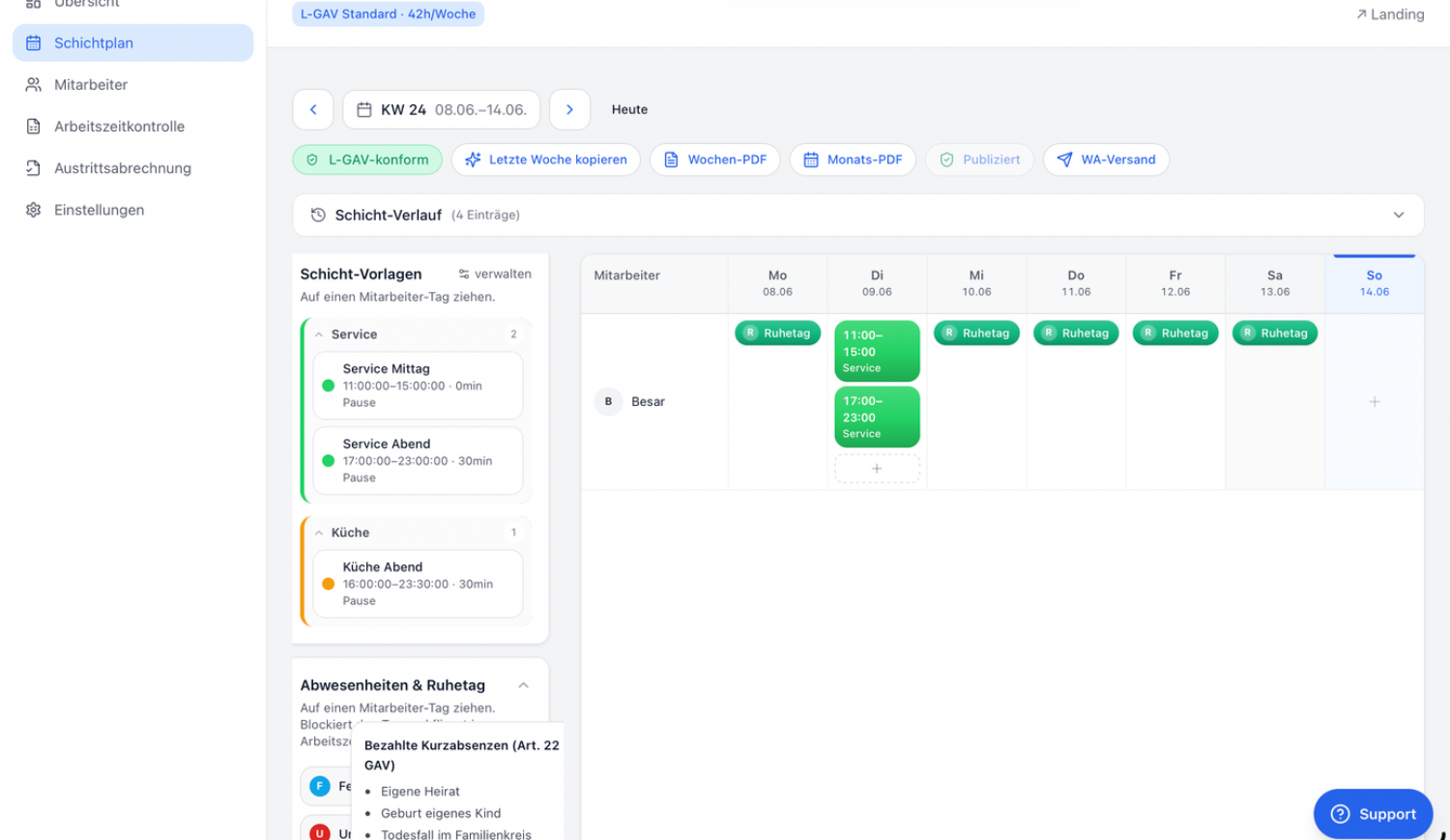
At the start of the week, you decide who works when. Using shift templates, the plan is ready in a few minutes — and Gastrora checks live whether it is L-GAV compliant.
Open Shift plan and choose the calendar week at the top.
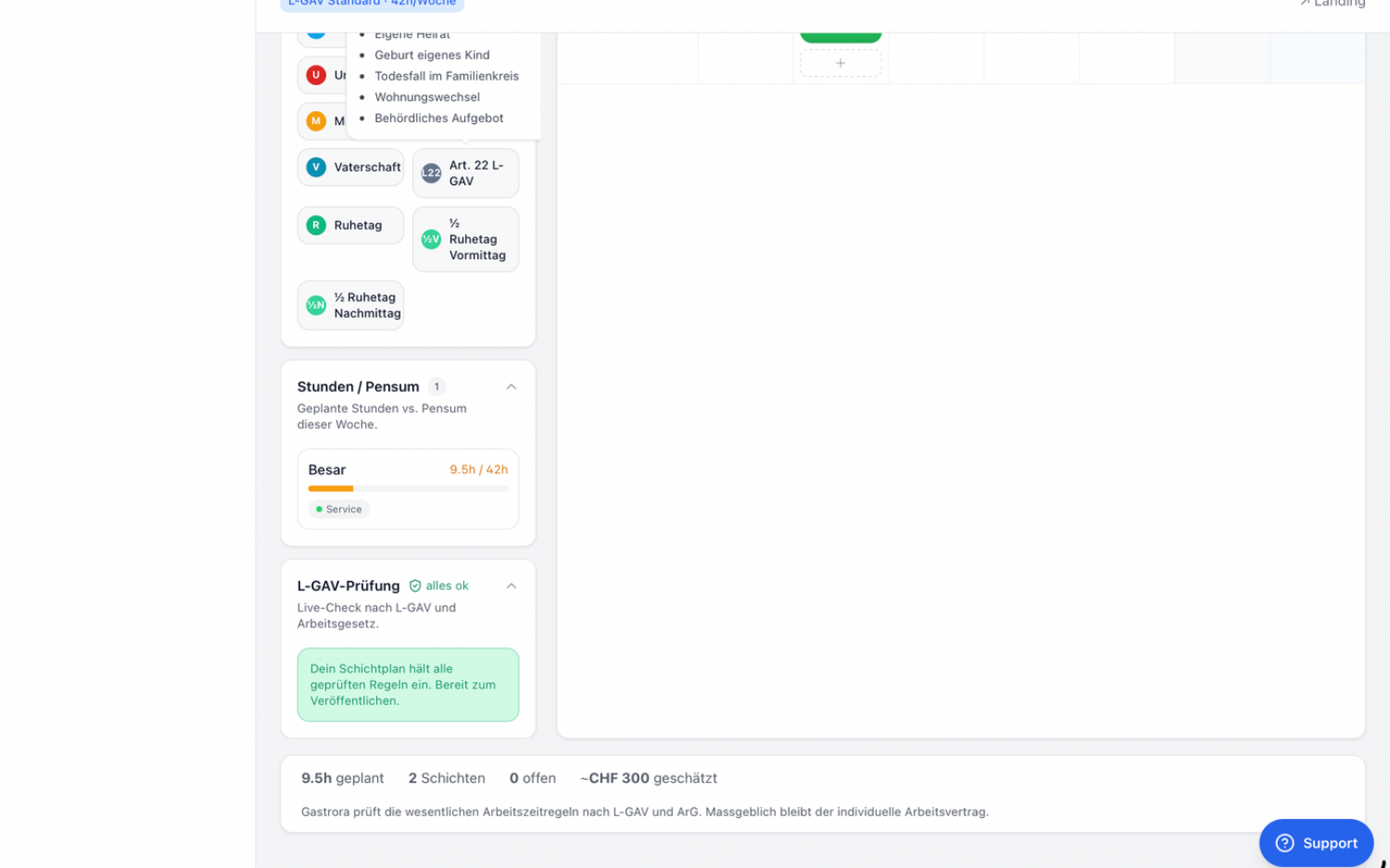
Drag a shift template (e.g. «Evening service») onto the day of the employee you want. Rest days and absences are dragged the same way.
Keep an eye on the L-GAV check. When it shows «L-GAV compliant», the plan is ready.
Click Publish. Every employee automatically receives their plan via WhatsApp.
Record hours via WhatsApp
Your employees record their working hours directly via WhatsApp — no app or time clock needed. Gastrora sends reminders automatically and calculates the hours. This is what a working day looks like:
Corrections during the month
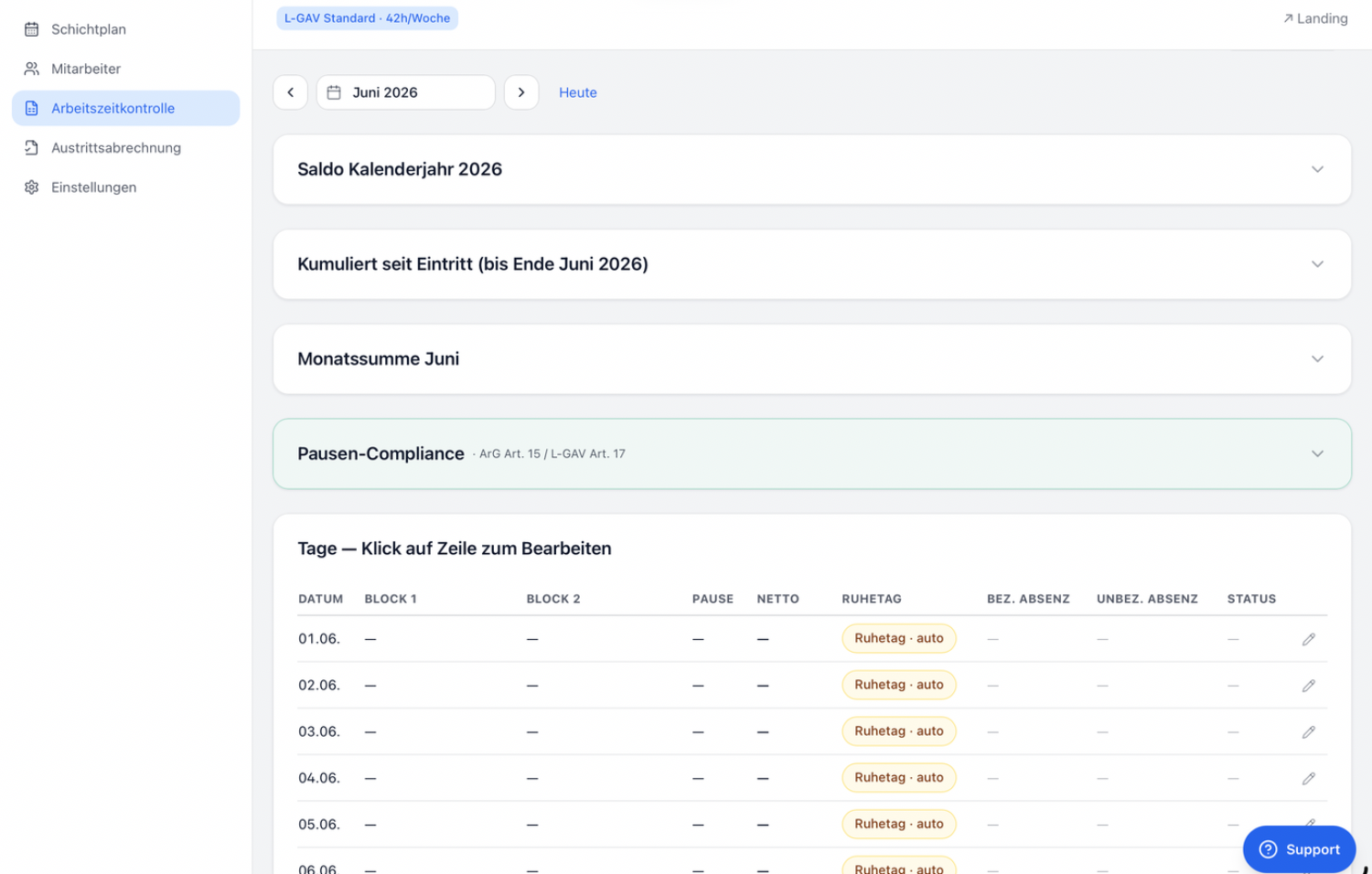
Sometimes someone forgets to clock in or records a break incorrectly. You correct such entries as you go in the employee's monthly sheet under Time tracking → Monthly statement, so that everything is right at the end of the month.
Open Time tracking → Monthly statement and choose «Open details» for the employee in the «…» menu.
In the «Days» table, click the row of the day in question (or the pencil icon).
Adjust Block 1, Block 2, the break or the absence, enter the reason and save.
Month-end close: review the hours
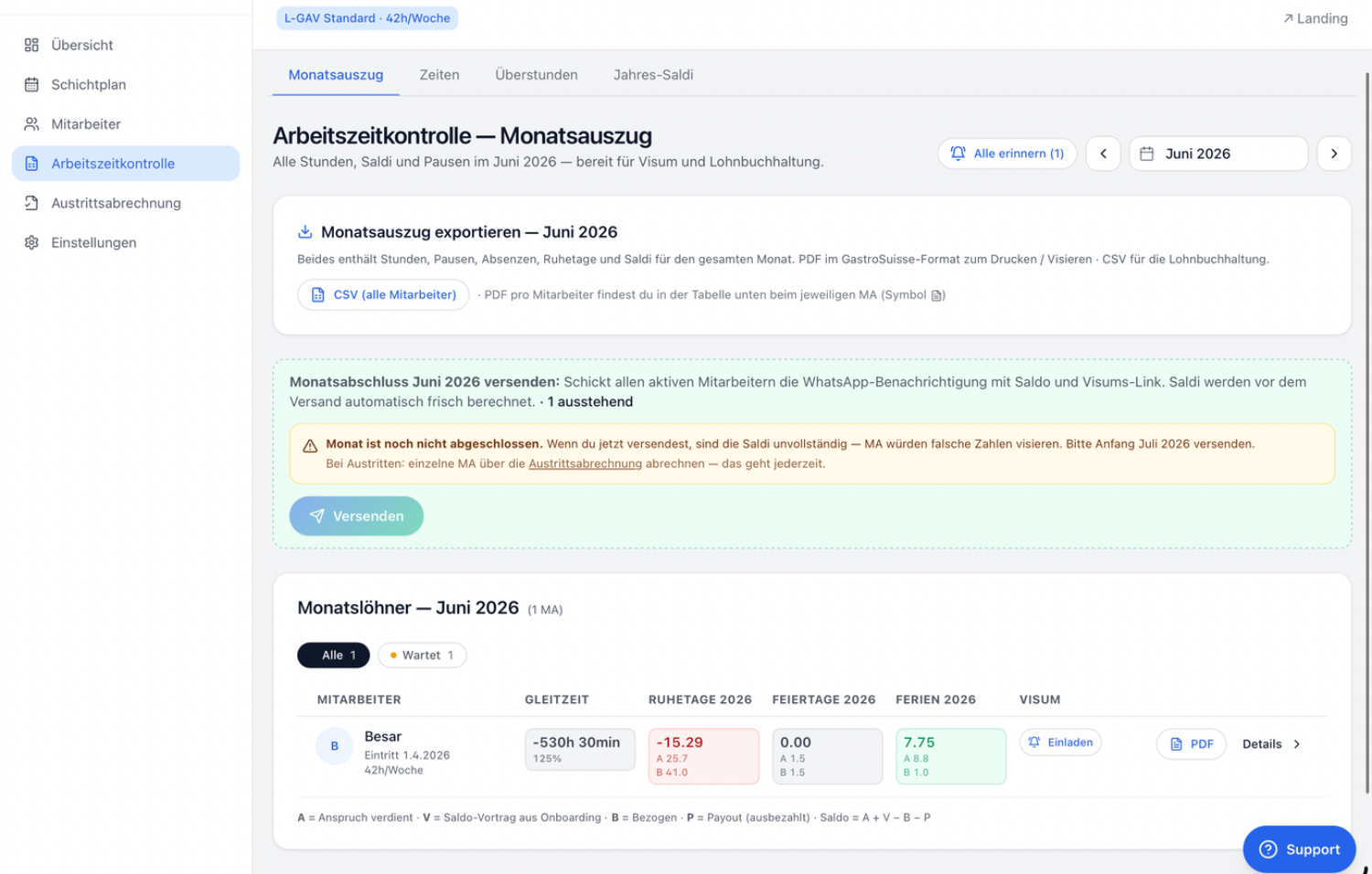
At the end of the month, you check the collected hours and balances of all employees in the Monthly statement before sending the report.
Open Time tracking → Monthly statement and choose the month.
For each employee, check Flexitime, rest days, public holidays and the vacation balance.
Check break compliance (ArG Art. 15 / L-GAV Art. 17).
Clear up any items marked in red before you close the month.
Send the monthly close
Once the hours are correct, you send the monthly close. Every employee receives a WhatsApp message with their balance and a personal sign-off link.
Only close the month once all days have been recorded — usually at the start of the following month.
In the monthly statement, click «Send» in the «Send monthly close …:» card. The balances are automatically recalculated beforehand.
Every employee receives the WhatsApp message with their balance and sign-off link. The statement is also available as a PDF in GastroSuisse format for printing and signing.
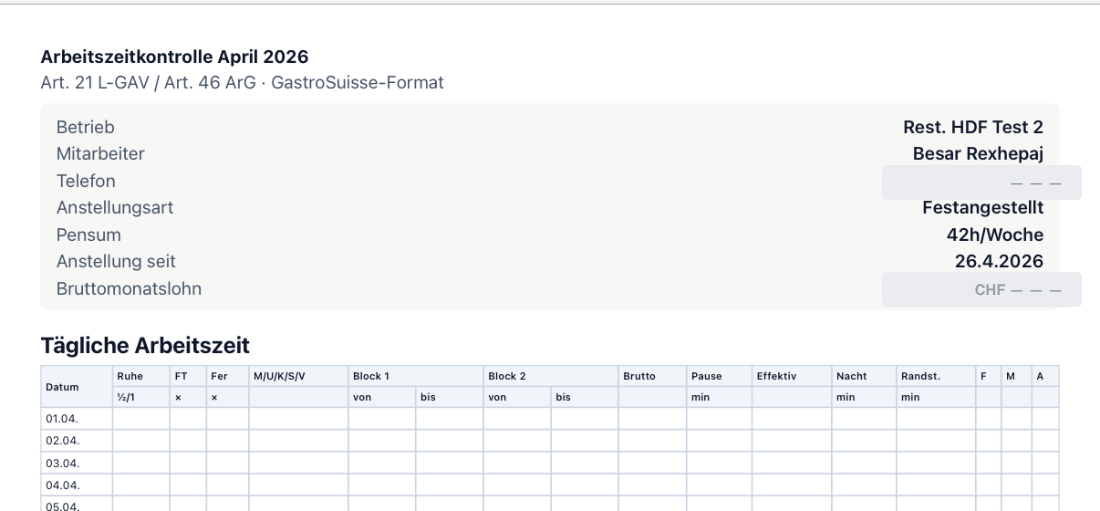
Employees sign off their hours
Via the sign-off link, the employee confirms their time record with one click. The signature is legally binding — a legal requirement, done in seconds via WhatsApp.