What is the onboarding cut-off date?
The onboarding cut-off date is the day from which Gastrora calculates the balances itself. Everything before the cut-off date comes from your old system — you enter the closing balances once, and Gastrora carries them forward automatically from the following day.
The figures you need per employee
Get the balances as at the cut-off date for each employee from your old system (or from Excel). You need:
The actual first working day with you — even if it was years ago. Important for years of service and vacation entitlement.
The last day of the old system. Usually the day before you start with Gastrora — ideally the end of a month, so the transition is clean.
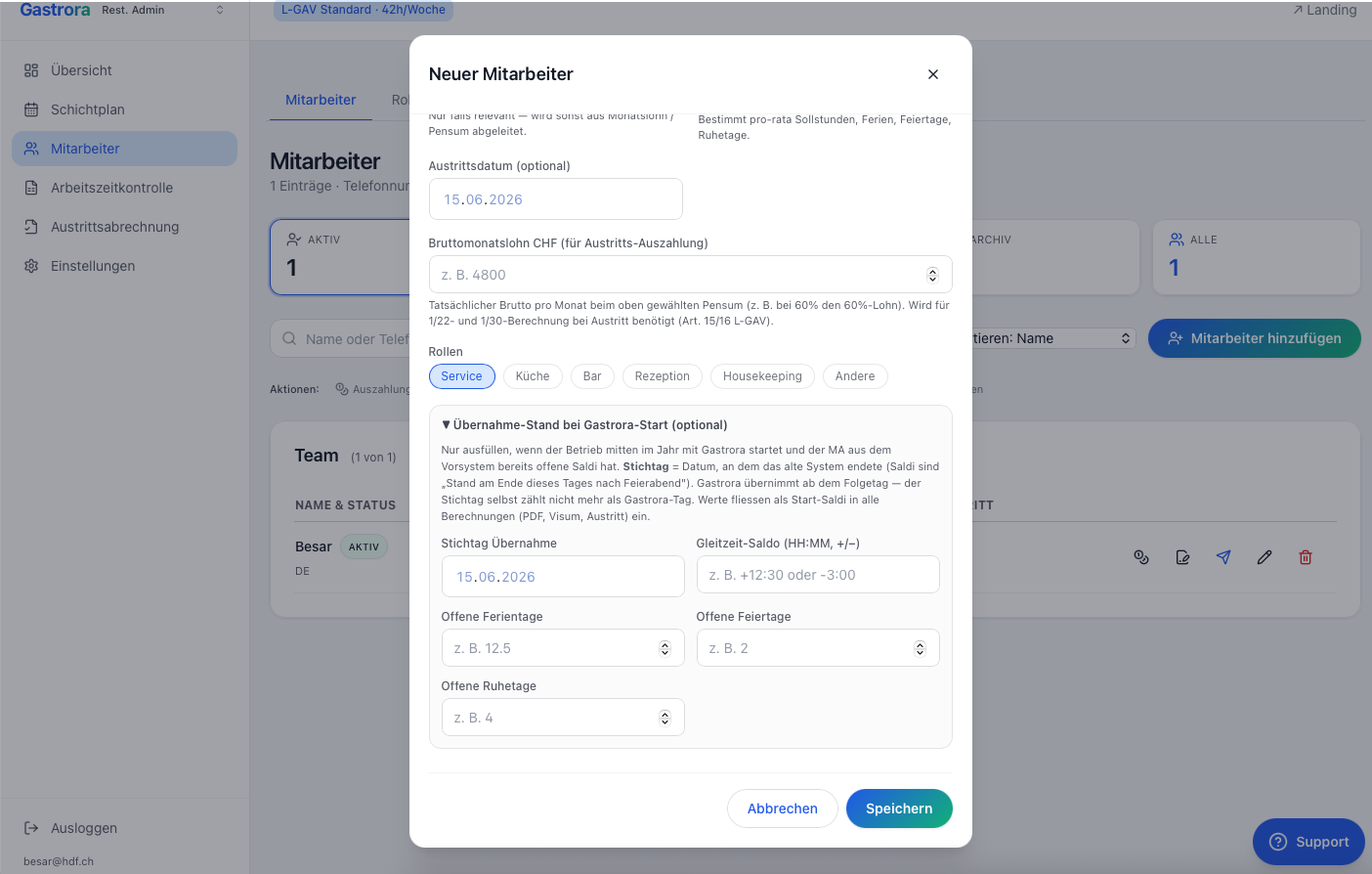
Over-/undertime in hours and minutes. Positive = the employee has hours in credit. Negative = the employee has not yet worked their target hours. Enter it as HH:MM, e.g. +3:00 for 3h overtime or -2:00 for a 2h deficit.
Days the employee is still entitled to. Important: calculate the current year's entitlement pro rata up to the cut-off date, minus the days already taken.
If rest days or public holidays are still open at the time of the switch, you can carry them over. Otherwise every employee starts at zero and accrues from the cut-off date.
Where to enter the balances
The employee form has an expandable section «Carry-over balance at Gastrora start (optional)» — that's where you enter the cut-off date and balances. Fill it in straight away when adding the employee; for existing employees you can add it at any time via «Edit».
Are the values correct?
After entering them, open Time tracking and check the Year-end balances for the employee: the balance shown as at the cut-off date should match your entry exactly. If not — enter the cut-off date and balance again.